Buying a Trail Pass Through FWP Online Licensing
Buying a Montana OHV trail pass online can be straightforward, but choosing the wrong permit or assuming a receipt is the decal can leave you unready to ride. The key is to match the pass to your residency and machine, read the delivery instructions before checkout, and confirm that your intended route allows motorized use. Here’s how to work through FWP’s online licensing process and what to do afterward.
First, make sure an online trail pass is the right thing to buy
Montana’s trail-pass and registration rules depend on who owns the machine, where it is registered, and where you plan to ride. A pass purchased through Fish, Wildlife & Parks (FWP) online licensing is not a universal replacement for vehicle registration, and it does not grant access to every road or trail.
Start by identifying which of these situations applies:
| Your situation | What to check before buying |
|---|---|
| You are a Montana resident with a machine already registered in Montana | Confirm whether your registration already covers the trail-pass requirement for the use you have planned. |
| You are a Montana resident with an unregistered machine | Check whether the resident trail-pass option applies to you, and whether you should instead register the machine through a county treasurer. |
| You live outside Montana and are bringing your own OHV | Look for the nonresident permit intended for visiting riders. Confirm which machines it covers and when it is valid. |
| You are renting or borrowing a machine | Ask the rental shop or owner whether the machine already has the required permit. Don’t assume the pass transfers to another machine. |
| You plan to ride a public road or travel between trail systems | Check road-use rules separately. A trail pass alone does not make an OHV legal on a road. |
If you’re visiting from another state, begin with Montana’s Non-Resident Temporary Use Permit and [What the Non-Resident Permit Covers]. Nonresident permits are intended for qualifying use in Montana, but the exact coverage and validity depend on the permit terms. Read those terms in the current FWP licensing system rather than relying on what a friend bought for a previous trip.
Montana residents should distinguish the resident trail-pass option from permanent registration. If you’re unsure which applies to your machine, review Montana’s $20 Resident OHV Trail Pass Explained and Trail Pass Credit Toward Permanent Registration, then confirm the current process with FWP or your county treasurer. A trail pass and a registration document are not interchangeable in every situation.
A pass does not settle your route or road access
A valid trail pass does not mean you may ride on any public land, forest road, county road, or town street. Access depends on land ownership, management rules, seasonal closures, the route’s motorized designation, and any local road ordinances.
Before you set out, check Montana Permit Rules on Public Land and Why the Non-Resident Permit Covers Trails Only. If your plan includes a road connection, review Riding an OHV on the Road in Montana as well. Road use has separate requirements, and a trail permit does not automatically provide permission to ride on a public road.
The same caution applies if you’re borrowing or renting. A machine may have paperwork for one kind of use but still be restricted from particular routes. For visitor-specific details, see Montana Rules for Visiting Riders. For a general pre-ride checklist, What Montana Riders Need Before They Ride is a useful companion.
How to buy through FWP online licensing
The online process can change as FWP updates its licensing system, so use the selections and instructions shown at checkout rather than relying on an old screenshot or an outdated guide. The basic steps are usually simple: identify the correct permit, enter the requested information, pay, and follow the delivery or printing instructions.
1. Gather the details before you start
Have the machine and ownership information nearby. Depending on the permit type and the system’s prompts, you may need information such as:
- Your name and contact details
- Your residency information
- The machine’s make, model, or identifying number
- The state where the machine is registered, if applicable
- The date or period for which you need the permit
- Payment information
Use the information from the machine’s paperwork or identification plate, not a guess. If you’re entering a VIN or serial number, take care with characters that can be confused, such as zero and the letter O. A mismatch can make it harder to show that the permit belongs with the machine.
If you are buying for more than one machine, treat each machine as a separate item unless the system clearly says otherwise. Do not assume a single pass covers an entire family, a group, a trailer load, or several rented vehicles. Check the prompts for each machine and save a separate confirmation when the system issues one.
2. Choose the correct permit category
Use the residency and machine information to select the matching product. Take a moment to read the full description before adding anything to your cart. Similar-looking options may apply to residents, nonresidents, or different kinds of motorized use.
If the system asks whether you are a Montana resident, answer based on the definition and instructions provided there. Don’t select a resident option just because you own property, have a Montana mailing address, or are staying in the state for a while. If you are uncertain about your status, pause and ask FWP before paying.
Visitors should also check whether the permit is attached to a specific machine or person and whether it covers the intended riding period. If you’re crossing the border with your own vehicle, Where Visitors Buy a Montana Permit and Buying a Non-Resident Permit Before You Drive can help you plan the purchase. Confirm the current permit details directly in the online system.
3. Enter the information carefully
Before submitting, check every field against the machine’s paperwork. Pay special attention to the identifying number and the spelling of your name. If you are purchasing more than one pass, make sure the correct machine details are attached to each one.
Don’t hurry through the summary screen. Verify that you have selected the right permit and that the listed machine or residency information looks correct. If something is wrong, correct it before payment if the system allows. If you discover an error after checkout, contact FWP promptly and ask how to fix it. Avoid making a second purchase as a guess; you could end up with duplicate or mismatched records.
4. Save the confirmation and follow the delivery instructions
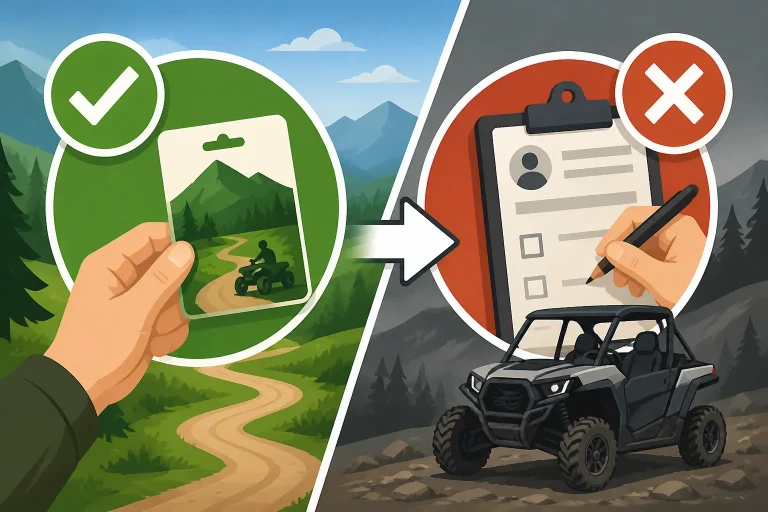
After payment, save the confirmation page or email and read any instructions about printing, mailing, or collecting the pass. The online transaction may provide proof of purchase, but that does not necessarily mean the confirmation itself is the physical permit or decal you must display.
Check what the system says about:
- Whether the pass will be mailed or must be printed
- Whether a temporary document is provided while you wait
- Where and how a decal must be placed
- What paperwork you should carry
- Whether there are steps to take if the pass does not arrive
Do not assume that an email, receipt, or order number can be used in place of a required decal. If the instructions are unclear, contact FWP before riding and ask what you need to have on the machine and what you need to carry.
What to do after checkout
A successful online purchase is one step, not the end of the process. Before leaving home, confirm that you have the pass in the form required for your permit type, that the machine information matches, and that the route is open to motorized use.
Keep proof of purchase, but don’t confuse it with the pass
Save a digital copy of the confirmation somewhere you can reach it without relying on a single email inbox. A screenshot or downloaded file can be useful if you have limited cell service, though it does not replace a decal or other required physical item.
If the system tells you to print something, print it and keep it with the machine’s paperwork. If it says a decal will arrive by mail, allow enough time for delivery and do not assume an order confirmation authorizes you to ride before it arrives. If the permit is delayed or lost, ask FWP what to do rather than improvising.
For keeping documents tidy, a small waterproof paper sleeve or map pouch can be helpful. Some riders find one through Amazon, but any suitable pouch works; it should protect paperwork without covering or obscuring a decal. Keep the pass itself attached where the instructions require, not tucked away in a bag.
Attach the decal exactly as instructed
If your permit includes a decal, follow the current placement directions. Don’t put it where it will be hidden by a rack, mud flap, cargo box, or other equipment. Avoid cutting it or covering it with tape or a protective film unless FWP’s instructions specifically allow that method.
Placement guidance can differ by vehicle type. See Where the Decal Goes on the Rear or Decal Placement on a Side-by-Side for related placement information, and check the official instructions that came with your pass. If the decal peels off, gets damaged, or is lost, use the replacement process rather than trying to recreate it yourself. Getting a Replacement Decal explains what to consider.
If the permit is a printed document rather than a decal, keep it as directed and make sure the person operating the machine knows where it is. A pass in an inaccessible email account is not much help during a check.
Check the route separately
Use the appropriate map or land manager information to confirm that your planned route is open and motorized. A trail can be closed seasonally, restricted to a particular machine width, or open only on certain routes. Recent storms, fire activity, maintenance, or wildlife protections can change access.
A current motor vehicle use map is a better guide than a line on a general recreation map or a route someone posted online. For help reading one, see Reading a Montana Motor Vehicle Use Map and Checking Montana Trail Status Before You Drive. If the route is on private land, get permission from the landowner; a state permit does not grant access across private property.
Also check whether the planned route includes a road section. If it does, look up the road’s status and the equipment and operator requirements separately. A trail pass does not override a closure, create local permission, or make an otherwise restricted road legal for OHV use.
Pack a backup for remote riding
Online records are convenient, but a backcountry ride may take you beyond reliable cell coverage. Before driving to a trailhead, download the confirmation and any maps you need. Keep paper information protected from rain and mud, and let someone know your route and expected return time.
A waterproof phone pouch from Amazon can help protect a phone from dust and splashes, but it does not improve reception or replace an offline map. If you’re carrying paper directions or a printed confirmation, a separate document sleeve from Amazon keeps those papers from getting soaked. Keep the permit and machine identification readable and accessible.
For long rides, a small power bank from Amazon or another retailer can help keep a phone charged for navigation or emergency communication. It is only a backup: don’t depend on a phone as your sole way to call for help in areas with no service. Pack the equipment that fits your route, weather, and group, and keep the pass paperwork separate from food, tools, and loose cargo.
Common online purchase mistakes to avoid
Most problems come from a mistaken assumption: that any pass works for any rider, that the receipt is enough, or that buying a pass automatically opens the route. A brief check before checkout and before riding can prevent an expensive or frustrating trip.
Buying the wrong residency option
A visitor should not choose a resident product simply because they are staying in Montana, own a cabin, or have some connection to the state. Read the eligibility language shown by FWP. If the category is unclear, ask before purchasing.
Likewise, a resident should not assume that the nonresident permit is the easiest substitute for registration. The right requirement depends on the machine and its use. If you need a permanent registration, contact the county treasurer or consult Buying a Pass at a County Treasurer for the related process.
Assuming one pass covers several machines
A pass may be specific to a machine, and one purchase may not cover every OHV in your group. Review each permit’s terms and the checkout prompts. When you buy for a family or riding party, match each pass to the machine that will use it.
This matters especially for borrowed or rented machines. Ask the owner or rental shop which permit is already on the vehicle and whether it is valid for your planned dates and routes. A pass associated with another machine should not be treated as transferable without confirmation.
Treating the receipt as permission for every kind of riding
A receipt proves that a transaction took place. It does not establish that a trail is open, that a public road allows OHVs, or that you have permission to cross private land. Keep those questions separate: permit, registration, route access, and road use are related but distinct.
For questions about a road segment, use Who Grants Permission on a Montana Road and the relevant local rules. For land access, Reaching Landlocked Public Land in Montana explains why having a permit does not necessarily mean you can reach a public parcel legally.
Waiting until the trailhead to sort it out
A spotty connection, a crowded staging area, or a forgotten password can turn a quick purchase into a delay. Buy early enough to follow the delivery instructions, confirm the pass arrived, and correct any machine-detail error. If you need an account, make sure you can access it before the trip.
If you already hold the right pass, don’t repurchase it just because you can’t immediately find the confirmation. Search your email, account history, and saved files first. If it still isn’t clear whether the purchase is valid, contact FWP and ask for help verifying it.
Skipping the rules for young riders and road sections
A pass does not resolve age, supervision, helmet, or operator requirements. Those rules can depend on the rider’s age and whether the riding takes place on a public road or off-road route. If a young person is joining the trip, check Montana Age Rules for Riders Under 16 and Montana Helmet Requirements Under 18.
Similarly, don’t assume a route is a trail simply because it appears on a map or connects two recreation areas. If you need to ride on a road, check whether that specific road permits OHVs and what equipment or operator qualifications apply.
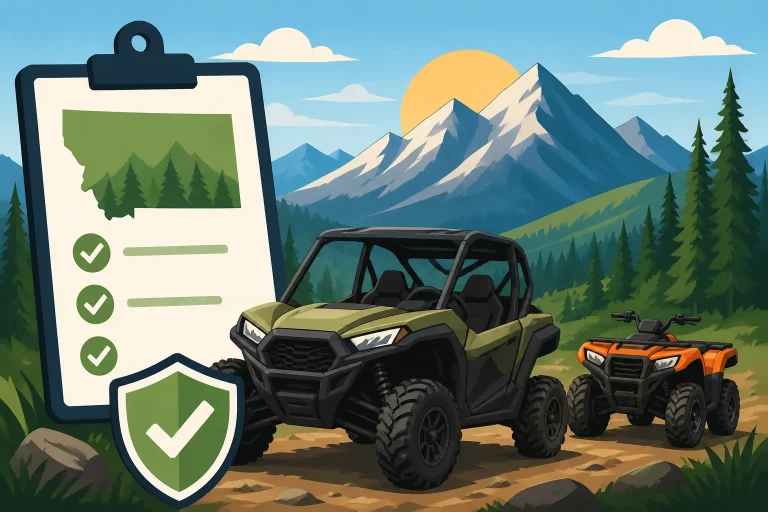
A simple pre-ride checklist
Use this short check before loading the machine:
- Confirm whether you need a resident trail pass, nonresident permit, or registration for your situation.
- Verify the machine information and residency selection in the FWP purchase record.
- Read the delivery instructions and make sure you have the actual decal or document required.
- Attach the decal in the directed location, if your permit includes one.
- Save a copy of the confirmation and keep required paperwork accessible.
- Check the route’s motorized designation, current closures, and any road sections.
- Ask the owner or rental shop about the permit if the machine is borrowed or rented.
- Confirm separate age, safety, and road-use rules for every rider.
FWP’s online licensing system can make a trail-pass purchase convenient, especially when you handle it before the trip. The safest approach is to treat checkout as the beginning of your preparation: confirm the right permit, follow its instructions, and verify the route with the land manager. If a requirement is unclear, get an answer before you reach the trailhead.
Disclaimer
This article is for general informational purposes only and does not constitute professional advice. Laws, prices and regulations vary by location and change over time. Consult a qualified professional for guidance on your specific situation.